
Text +1 (213) 928-7320
Let's chat!

The Complete Buyer's Guide to Phone Charging Kiosks for Events and Trade Shows
A decade ago, a phone charging station on a trade show floor was a novelty. It was a clever gimmick that drew curious attendees like moths to a glowing USB port. Five years ago, it graduated to a nice-to-have amenity. Today, it's table stakes. Your attendees are navigating event apps, scanning QR codes at booths, posting to social media, responding to emails, and coordinating meetups over text, all on devices that were never designed to last a full eight-hour conference day. 38% is the battery percentage at which most people begin to panic, with Gen Z attendees hitting anxiety mode even earlier at 44%. When phones die, engagement dies with them. Up to 45% of surveyed attendees admit they'll leave early, skip activities, or cut spending short when their battery is critically low. This guide covers what product pages and vendor brochures won't tell you: how to right-size your charging infrastructure for your specific event, when renting makes more sense than buying, how far in advance you need to plan for custom branding, and what to watch for when comparing kiosk formats.
Why Charging Infrastructure Is Now Non-Negotiable at Events
The case for phone charging kiosks is a business decision rooted in attendee behavior data. Americans check their phones an average of 205 times per day. At a trade show or conference, that number likely climbs as attendees toggle between event apps, maps, messaging, and social sharing. Every one of those interactions drains battery, and convention center Wi-Fi networks force devices to work harder to maintain connections, accelerating the drain further.
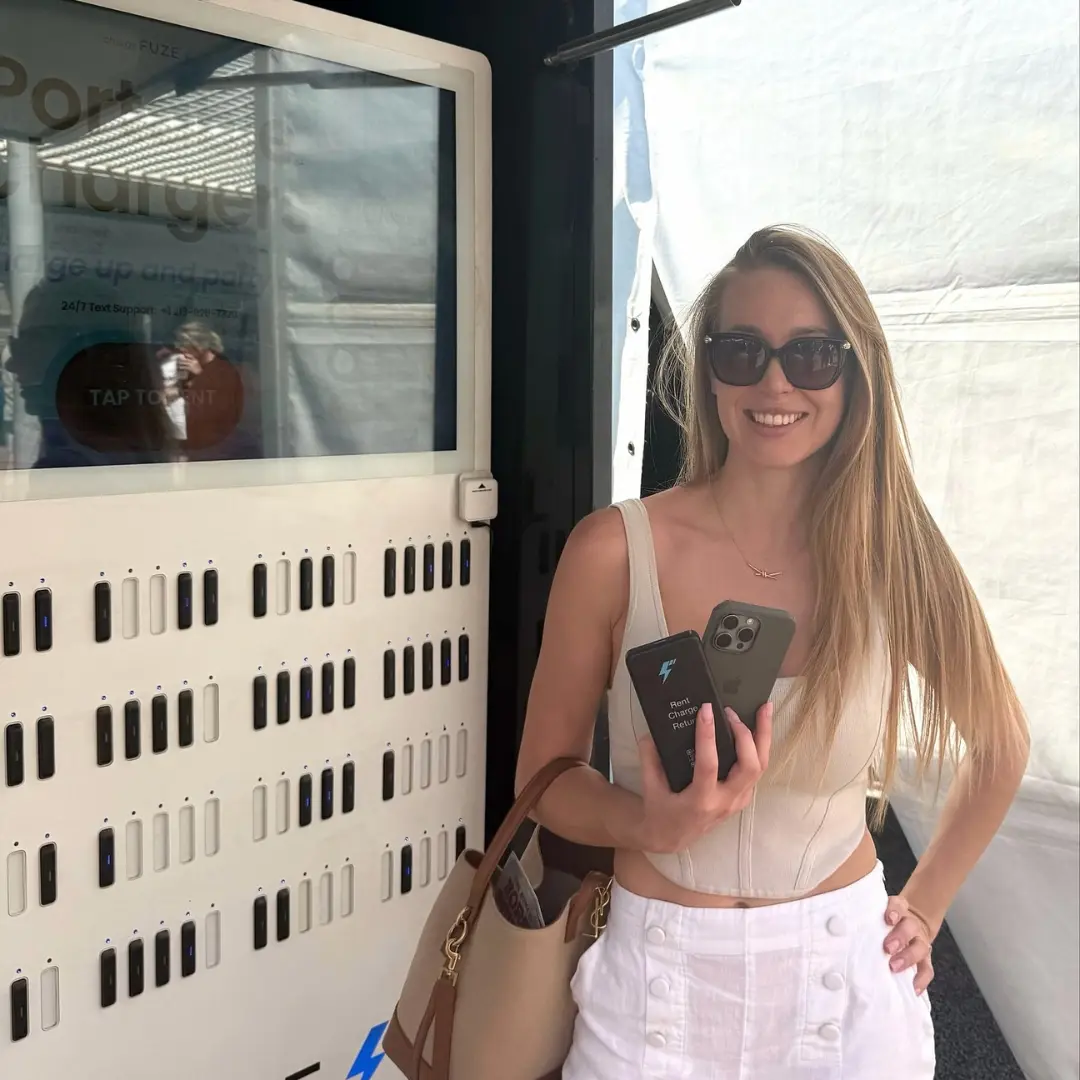
The downstream effects are measurable. 72% of event guests report a more positive overall experience when charging amenities are available. More importantly for ROI-focused planners, attendees who charge their devices stay on-site up to 34 minutes longer. At a trade show where booth traffic and dwell time directly correlate with lead generation, those extra minutes translate into real pipeline value. There's also a competitive dimension, with charging kiosks having shifted from differentiator to baseline expectation at major conferences and expos. If your event doesn't offer them, attendees notice. Charging stations have become a fixture in event planning checklists alongside Wi-Fi, signage, and AV, not as a perk but as core infrastructure.
Types of Charging Kiosks: Matching the Format to Your Event
Secure Locker Stations
These are the workhorses of conference charging. Attendees lock their phones in a numbered compartment, set a PIN, and return later to retrieve them. Locker stations typically hold 8 to 12 devices simultaneously and are ideal for multi-day conferences where attendees cycle through sessions and can retrieve their phones during breaks.
Portable Charger Kiosks
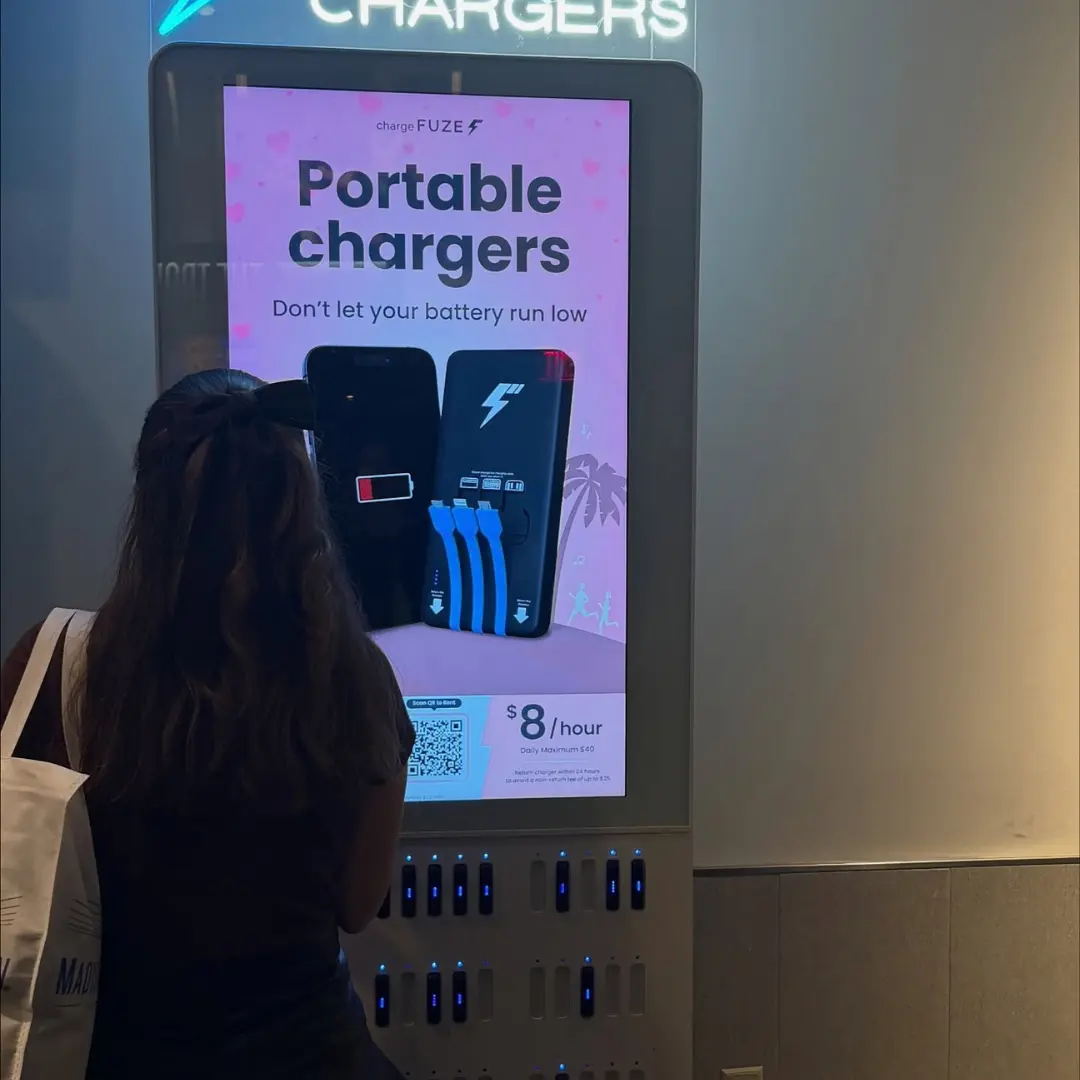
This newer model solves the biggest limitation of locker stations: attendees don't have to part with their phone. Kiosks like those operated by ChargeFUZE dispense portable battery packs that attendees carry, charging on the go. When the device is topped off, attendees return the battery pack to any kiosk at the venue. Portable rental kiosks are particularly well-suited for trade shows, music festivals, and large-scale expos where attendees are mobile and constantly moving between areas. ChargeFUZE's battery packs support USB-C, Lightning, and Micro-USB simultaneously, cover the vast majority of devices on the market, and deliver a near-full charge in under an hour. For event planners, the portable model also doubles dwell time. With a charged phone, attendees stay engaged on the floor instead of retreating to find a wall outlet.
Charging Tables and Counters
These are surfaces with integrated wireless charging pads or built-in cables. They blend into lounge areas, networking spaces, and food courts without looking like dedicated infrastructure. Charging tables shine at events where casual networking is a primary goal. They give attendees a reason to linger in a specific area, creating natural gathering spots.
Freestanding Branded Towers
Large-format kiosks are designed as much for brand visibility as for charging. These units often feature HD digital screens, full-body custom vinyl wraps, and interactive touchscreen displays. They can serve 8 to 12 devices while simultaneously running sponsor video content or event information. Branded towers are the premium option, visually impressive and ideal for sponsors who want high-visibility placement. They're best positioned at aisle caps, lobby entrances, outside keynote halls, and near food and beverage stations where foot traffic is heaviest.
Capacity Planning: How Many Kiosks Does Your Event Actually Need
The Baseline Formula
Start with your expected attendance and event format. A reasonable starting point for multi-day conferences is one charging station per 75 to 100 attendees for locker-style units, or one portable charger kiosk per 150 to 200 attendees, since battery packs circulate and serve multiple users throughout the day. For a single-day trade show with 2,000 attendees, that translates to roughly 20-27 locker stations or 10-14 portable kiosks. These numbers assume standard event hours (8 to 10 hours) and a venue where attendees are distributed across a single exhibition hall.
Adjustment Factors
Several variables push the number up or down:
- Event duration: Multi-day events need more capacity because attendees arrive with phones already partially drained from the previous day's use and evening activities.
- Audience demographics: Younger attendees consume batteries faster and expect charging access. Plan for 20 to 30% more capacity at events targeting audiences under 40.
- Venue layout: Sprawling multi-hall convention centers require distributed placement. A single bank of kiosks in the main lobby won't serve attendees in satellite halls or breakout rooms.
- Event app dependency: If your event runs on a proprietary app for scheduling, networking, live polling, or badge scanning, battery drain accelerates. Budget for higher capacity.
- Outdoor events: Festivals and outdoor expos add screen brightness and GPS usage to the drain equation, plus attendees have zero access to wall outlets. Over-provision by 25 to 40%.
Placement Strategy
Strategic placement matters as much as unit count. The highest-performing locations based on vendor data and planner experience are main entrance lobbies, outside keynote and general session halls, food and beverage areas, aisle end-caps on the exhibit floor, and registration areas. Avoid placing all units in a single location. Distributed placement reduces congestion at any one station and ensures coverage across the full venue footprint.
Rental vs. Purchase: A Financial Decision Framework
When Renting Makes Sense
Rental is the dominant model for event planners, and for good reason. A typical charging kiosk rental runs between $295 and $750 per day, depending on the unit type and branding package, with weekly rates for multi-day events falling between $600 and $1,100 per unit, including delivery and basic setup support. Renting is the clear choice when you produce fewer than four events per year with charging needs, when your events vary significantly in size and venue, when you lack warehouse space for off-season storage, or when you want the latest hardware without managing depreciation. The rental model also offloads maintenance and technical support to the vendor. If a unit malfunctions during your event, the rental provider handles the replacement.
When Buying Makes Sense
Purchase prices for charging kiosks start around $600 to $800 for basic portable stations and scale to $4,800 or more for full-featured branded locker kiosks. The breakeven math is straightforward. If you're renting a $4,800 unit at $600 per week for eight or more events per year, purchasing pays for itself within the first year. Buying makes sense for venues and event spaces that host events continuously, for event production companies that service multiple clients year-round, and for organizations that want full control over branding and customization without per-event design fees.
Custom Branding: Timelines, Options, and What Actually Looks Good
For custom vinyl wraps on physical kiosks, plan for a minimum of three to four weeks from design approval to delivery. Some vendors recommend a four-to-six-week window for events requiring physical wraps and custom branding. Rush orders are possible, but the quality and color accuracy of rush vinyl work are inconsistent. Digital branding is faster. Most vendors can program custom digital content in three to five business days once final assets are delivered.
A well-executed charging kiosk offers multiple branding touchpoints. Full-body vinyl wraps transform the kiosk exterior into a 360-degree billboard. Digital screens display sponsor logos, event schedules, or promotional videos on rotation. Lock-screen prompts on interactive kiosks can include sponsor messaging during the charge cycle. Even the portable battery packs on rental models can carry custom branding.
Set Up Logistics and Power: The Operational Details That Make or Break Your Deployment
Power Requirements
Most phone charging kiosks draw surprisingly little power, typically under 500 watts or 5 amps per unit. Portable charger rental kiosks require a standard 15-amp circuit. For context, a standard U.S. wall outlet provides 15 to 20 amps, meaning a single outlet can power one to three kiosks depending on the model. The real power planning challenge at trade shows is ordering electrical service from the convention center early enough and mapping outlet locations to your kiosk placement plan. Convention center electrical services are charged per outlet and per amperage level, with 24-hour power costing a premium. Order electrical service at the same time you order kiosks, not after.
Connectivity
Kiosks with digital screens, analytics dashboards, or portable charger dispensing features require internet connectivity. Most units support 4G/LTE cellular connectivity out of the box, but for larger events with many units, vendors recommend hardwired Ethernet or dedicated Wi-Fi to ensure reliable operation. Confirm venue Wi-Fi availability and bandwidth with your AV provider before relying on it.
Delivery and Setup Timeline
Reputable vendors ship units to arrive two business days before the event load-in. For larger deployments (10+ units), request a white-glove setup where the vendor's technicians handle uncrating, positioning, power connection, and testing. The cost is typically modest relative to the total rental, and it eliminates a variable from your load-in checklist. Build your setup timeline around this sequence: electrical drops installed first, kiosks positioned and connected second, branding and digital content verified third, and a full power-on test completed before the venue opens.
Measuring Success: Analytics and Post-Event Reporting
Usage Metrics to Track
The core metrics most kiosk platforms report include:
- total devices charged (overall demand validation)
- peak usage hours (helps optimize placement and staffing for future events)
- average charge duration per session (indicates whether attendees are using lockers versus portable packs)
- station utilization rate (percentage of available ports or battery packs in use at any given time)
Tying Charging Data to Event Goals
Usage data becomes powerful when layered with other event metrics. If you're tracking booth traffic through badge scans, correlate charging station proximity with booth visit frequency. Sponsors placed near high-traffic charging stations consistently see elevated engagement rates that can reach as high as 65% at activated charging locations. Dwell time data from charging zones also feeds into venue layout planning for future events. If one charging station cluster consistently draws 3x the usage of another, that's a signal about foot traffic patterns that informs everything from sponsor placement to food vendor positioning.
Reporting for Sponsors
If sponsors are funding your charging infrastructure, they'll expect a post-event performance report. Standard deliverables include total impressions, device count, and charge sessions, peak engagement windows, and any QR scan or digital interaction data from touchscreen kiosks. Build reporting expectations into your sponsor agreement before the event. Vendors who provide robust analytics dashboards make this reporting process significantly easier than manually compiling data.
What to Ask Vendors Before You Sign
Not all charging kiosk providers are equal, and the right questions upfront prevent problems during your event. Here's the vendor evaluation checklist that experienced event planners use:
- On hardware and reliability: What is the failure rate per unit, and what's your on-site support protocol if a unit goes down during the event? How many cable types and wireless standards does each unit support? When was the hardware last updated?
- On logistics and lead time: What's your standard production lead time for custom-branded units? Do you ship early to account for carrier delays? Is a white-glove setup available, and what does it cost?
- On branding and customization: Do you provide design templates and in-house design support? Can I see a 3D rendering before approving production? What's the minimum order for custom vinyl wraps versus digital-only branding?
- On analytics and reporting: What data do you collect and share post-event? Is there a real-time dashboard during the event? Do you provide sponsor-ready reporting templates?
- On pricing and contracts: What's included in the rental rate? Is there a minimum rental period? What are the cancellation terms?
- On scalability: Can you support a deployment of my size at my venue? Do you have references from events of a similar scale?
The vendors who answer these questions transparently, with specifics rather than generalities, are the ones worth working with.

Putting It All Together: Your Pre-Event Charging Infrastructure Checklist
Pulling all the threads together, here's the timeline an experienced event planner follows to deploy phone charging kiosks without surprises.
- Eight to ten weeks out: Define your charging strategy. Get attendee projections and venue floor plans finalized. Request proposals from two to three vendors.
- Six to eight weeks out: Select your vendor and sign the contract. Submit branding assets for custom wrap production. Order electrical service from the convention center.
- Four to six weeks out: Approve 3D renderings and branding proofs. Confirm kiosk quantities, placement locations, and power drop positions with your venue.
- Two to three weeks out: Confirm shipping and delivery dates. Finalize digital screen content. Brief your on-site team on kiosk operations and troubleshooting basics.
- Event week: Receive units two days before load-in. Complete setup and power-on testing. Run a full systems check: power, connectivity, branding display, and charger dispensing.
- Post-event: Collect analytics reports from your vendor. Compile sponsor performance summaries. Document lessons learned for your next deployment.
Phone charging kiosks are no longer an optional amenity. Their infrastructure directly impacts attendee satisfaction, dwell time, sponsor ROI, and your event's overall reputation. The planners who treat them with the same operational rigor as AV, catering, and registration are the ones whose events consistently deliver better experiences. And in a world where every attendee is one dead battery away from disengagement, that infrastructure earns its place in the budget.
Sources:
- StudyFinds — Average Person Starts to Panic When Phone Battery Life Drops to 38%
- Reviews.org — Cell Phone Usage Stats 2025
- BizBash — 15 Ideas for Mobile Phone Charging Stations at Events and Trade Shows
- Classic Exhibits — Phone Charging Station: A Buyer's Guide
- ChargeFUZE — Charging Kiosks for Events
- ChargeFUZE — How Mobile Charging Stations Enhance Guest Experiences
- Exhibitor Online — Planning Your Electrical Needs
- Absolute Exhibits — Booth Electrical: How to Plan Power for Your Trade Show
- SQ Magazine — Mobile Phone Usage Statistics 2025
- Corbin Ball — 10 Reasons Why Charging Stations are a Must Have for Trade Show Booths
